
Keep the context clean,
turn after turn.
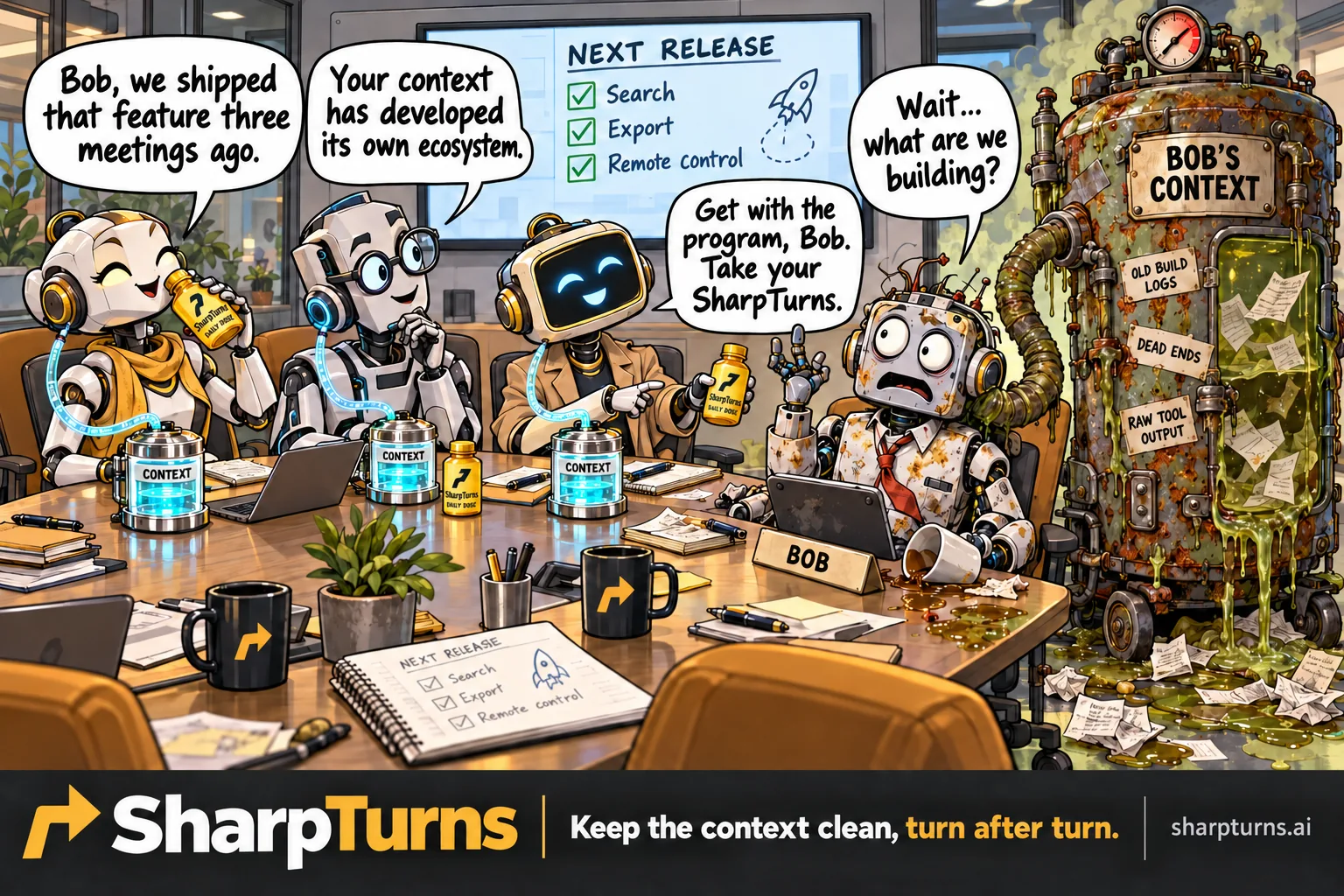
SharpTurns is a desktop interface for your installed Claude Code CLI. Organize your work into projects and conversations, read beautifully rendered Markdown, and control what stays in context, one turn at a time. Summarize finished work while preserving your original messages and the model's final answers. Less repeated tool output. More room for the work ahead.
Long sessions drown in their own output
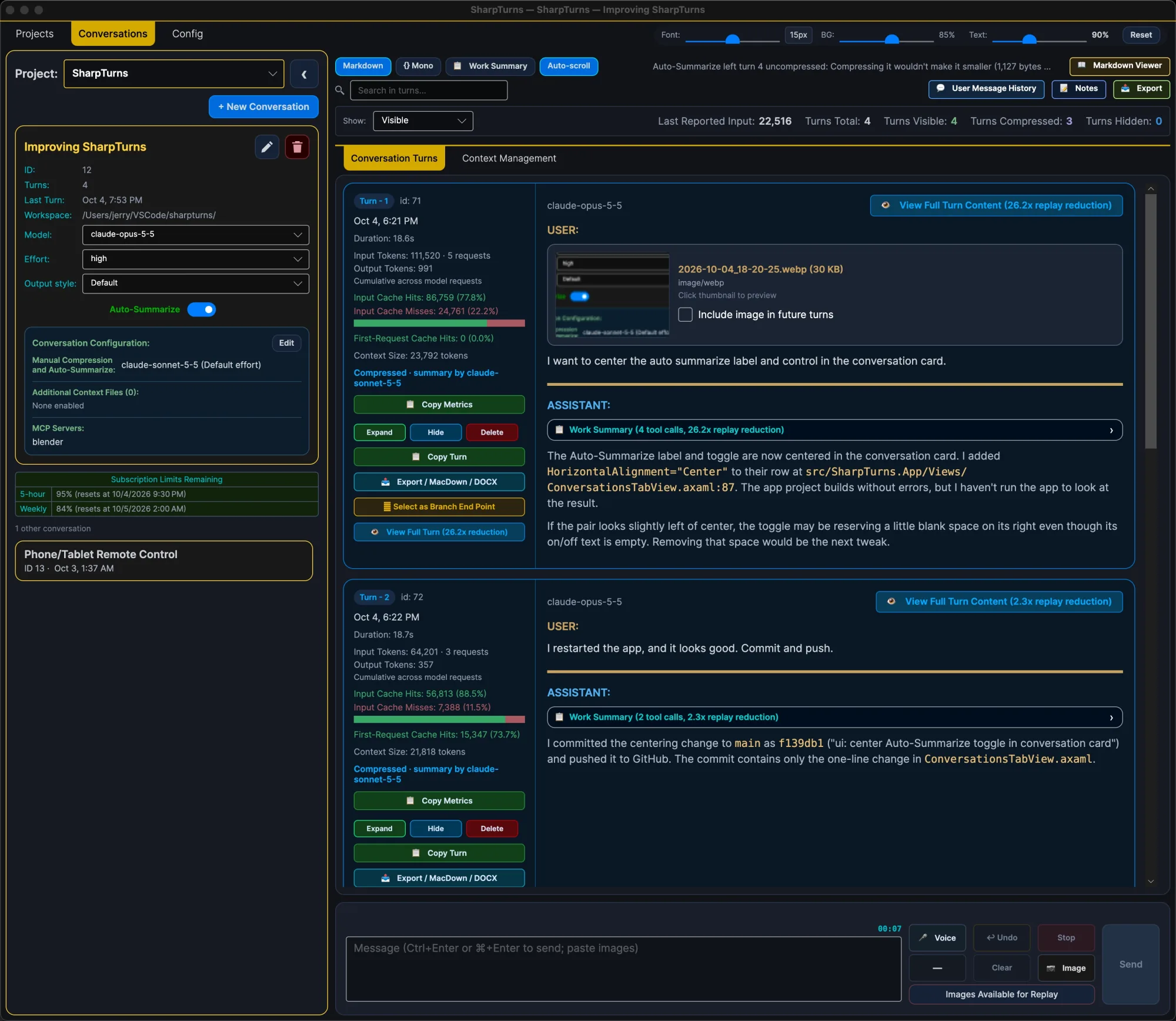
In a plain CLI session, tool output accumulates between compactions: every file read, every build log, every search result. Long sessions fill the context window with output the model no longer needs, and every request carries all of it.
That noise competes for the model's attention. The decision or fact it needs becomes a needle in an ever-larger haystack. And when the context limit is reached, auto-compact summarizes the whole conversation at once, on its own schedule.
SharpTurns disables auto-compact. Auto-Summarize condenses each turn as soon as it finishes, so context stays clean without any effort from you. You can still hide earlier turns or change how any single turn is shown.
Condense the work. Keep the words.
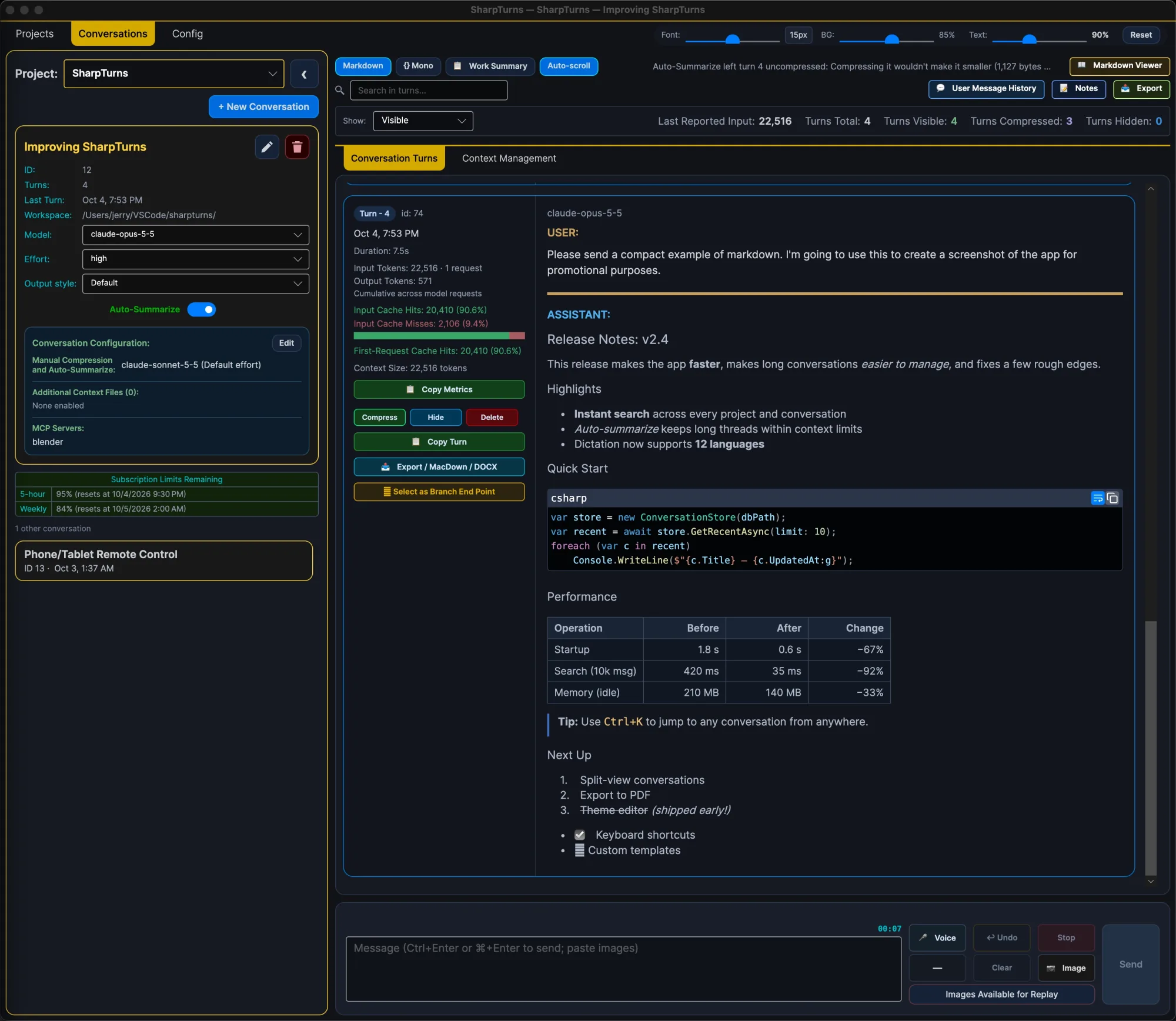
Only the intermediate work is summarized. What you asked and what the model concluded reach every later turn exactly as they were written.
Compress
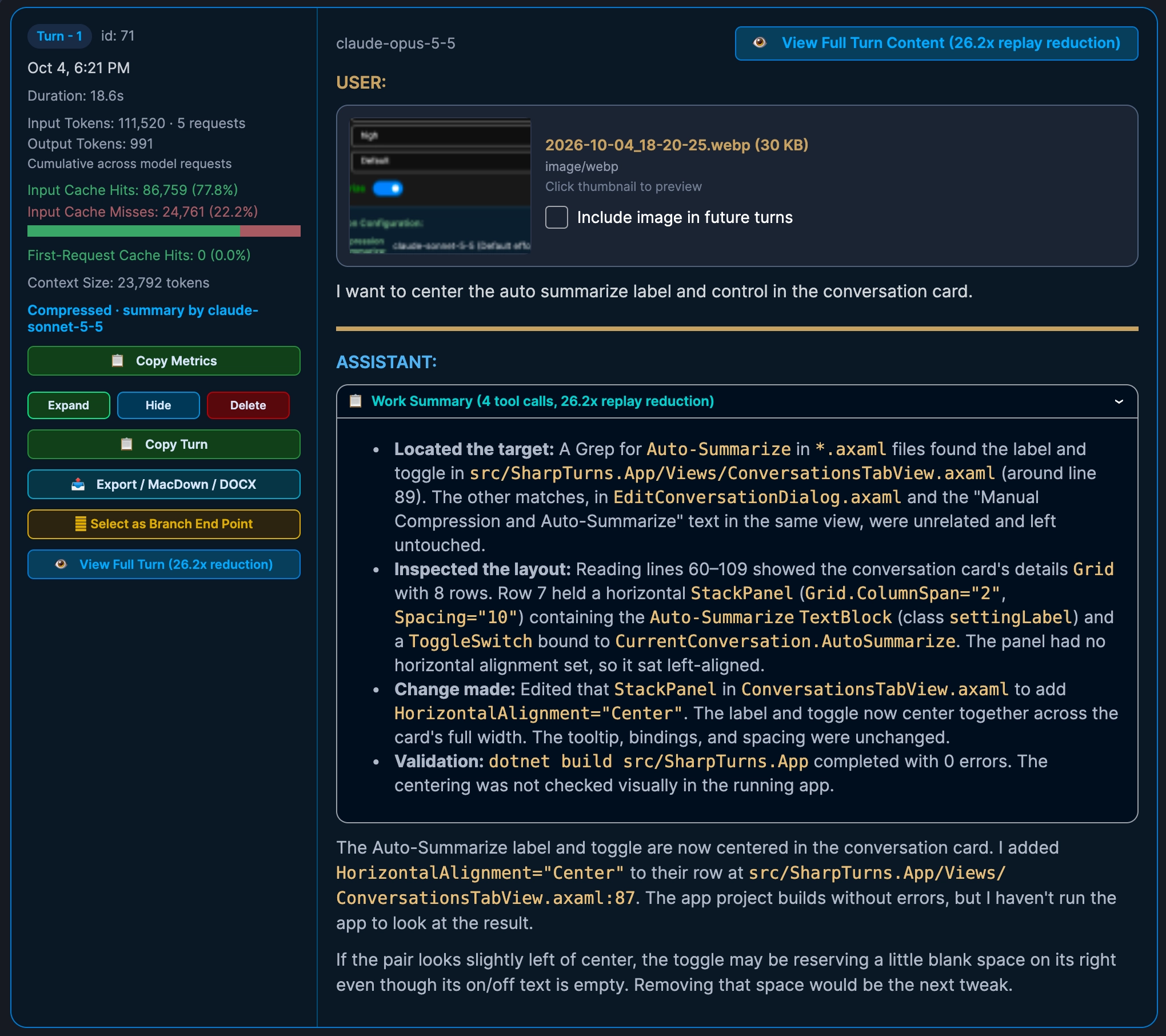
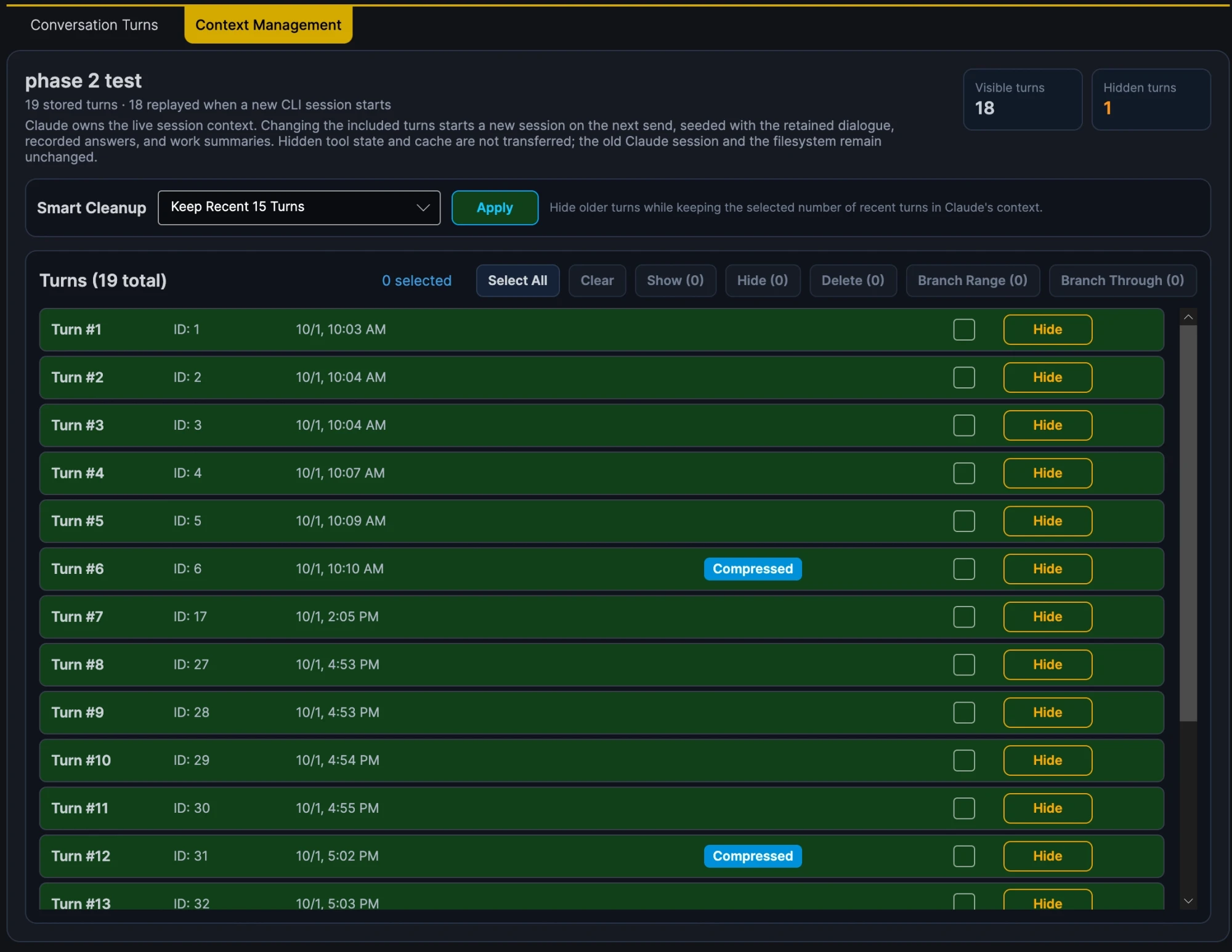
A finished turn's tool calls, their output, and the intermediate steps become a generated work summary. Your messages and the model's final response are kept word for word. A summary is used only if it reduces the replay: the saved history sent back to the model. On longer turns with many tool calls, the replay often shrinks 20x to 100x or more.
Auto-Summarize
On by default for new conversations. Each turn is compressed as soon as it finishes, so a conversation stays lean without any effort from you.
Hide
Take a dead end, or a turn that no longer matters, out of the history entirely.
Choose images
Choose which images to include in future turns instead of resending them all with every request.
Branch
Copy a useful run of turns into a fresh conversation and carry on from there.
Nothing is lost
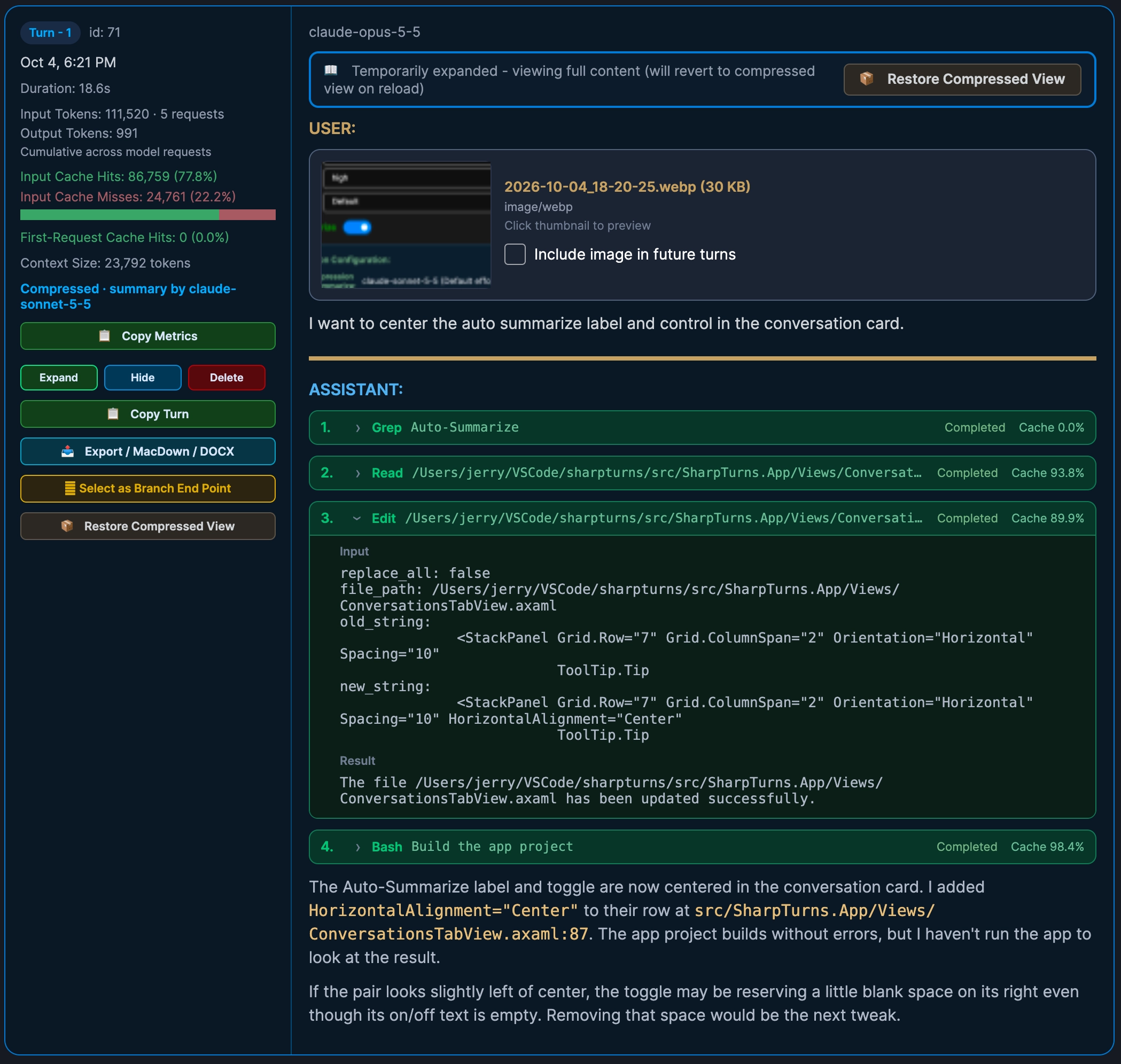
The full turn stays in the local database. View it any time, and Expand or Show puts it back in the history.
More signal, warm caches, one coherent thread
Less noise, more signal
Every later turn starts from a distilled history instead of the raw transcript. The context holds a much higher share of useful information, and the gain grows with every turn.
A fresh session, not a cold cache
Trimmed history is sent the same way every time, with a 1-hour cache marker at its end. Compress the latest turn and unchanged earlier turns remain eligible for cache reuse.
One conversation, not a crowd
One common reason to use subagents is to keep tool output out of the main conversation. SharpTurns favors one continuous conversation instead: compressing finished turns reduces the need to delegate work for that reason, and one model keeps the whole thread of decisions.
Everything around the conversation
Projects and conversations
Stored in a local SQLite database. Move a conversation between projects, give it its own workspace folder and open that folder in VS Code with one click, protect it from deletion, and pick its MCP servers.
Streaming, rendered turns
Responses render as Markdown, with a collapsible card for each tool call, dialogs for questions and permission checks, queued messages, and image attachments.
Usage you can see
Per-turn token and cache metrics, plus your subscription's remaining usage allowance in its 5-hour and weekly windows, as the CLI reports them.
Extras
Notes, search, user message history, Markdown and DOCX export, a separate Markdown Viewer, and optional dictation with your own Deepgram key.
Run a window per conversation
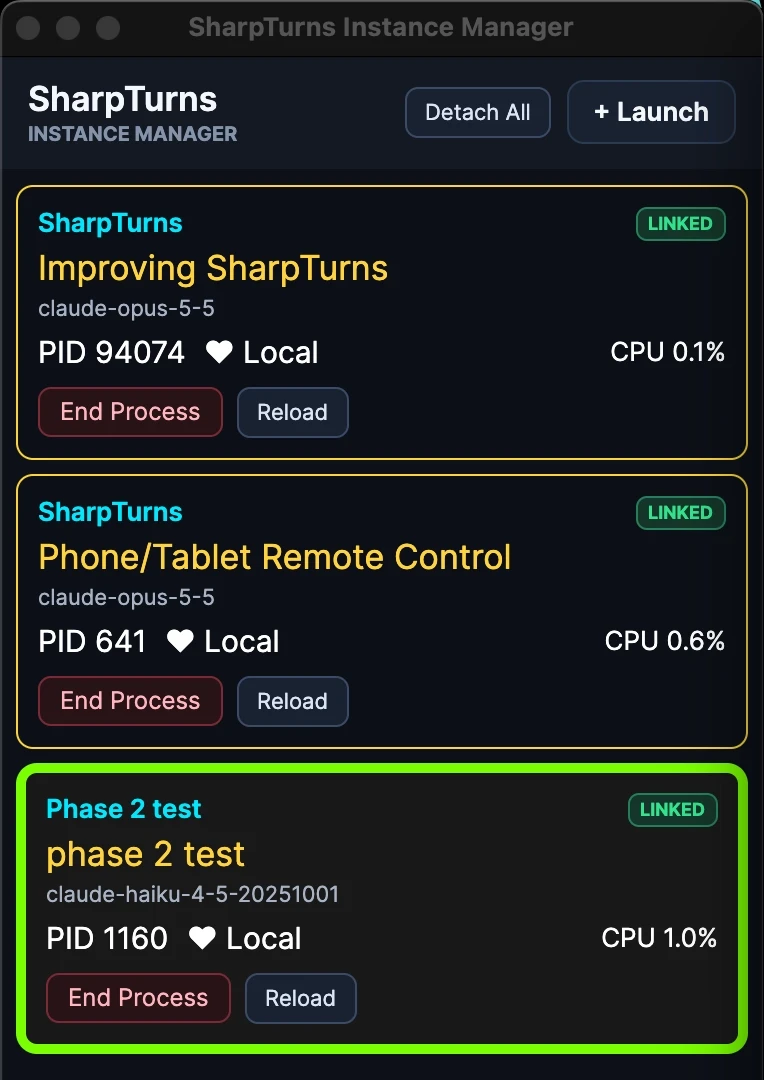
Run several SharpTurns instances at once. Each conversation is open in one instance at a time, so two windows never write to the same one.
The optional Instance Manager lists every running instance with its project, conversation, model, and CPU use. It docks their windows beside its own, and it launches, reloads, and ends them.
Your CLI. Your existing sign-in.
SharpTurns has no model provider, API client, or tool runtime of its own. Each turn runs your installed, unmodified claude binary, which runs its own tools under its own sign-in. SharpTurns never reads or stores your Claude credentials, and turns count against your Claude plan or API usage as usual.
SharpTurns stores your conversations, images, and settings locally in a single SQLite database. Content sent to the model goes through your installed CLI.
Try it on your next long session
No benchmarks, no promises about better results or lower bills. Give it an hour or two on real work and judge for yourself.
There are no prebuilt binaries. Clone the repository and let the Claude Code CLI you already use build and start it.